
Introduction

You might remember about a year ago when I was in Brunei I reviewed the Pixart Coffeetable Book.
Well they mailed me a while ago to let me know they’ve released a new cute small version called the pocket book.
The featues are touted as:
- Place your favourite pictures on the cover – Here’s the opportunity to have your very own photos and captions printed on the book cover
- Handy Size – At only half the size of the current Pixart coffee table book with pages approximately the size of 5R photos, the pocket photo book is extremely handy and fits into your backpack or handbag easily
- Easy To Create – Create a 12 page pocket book (double side printing) in 15 minutes or less with simple to manage layouts designed for quick & easy compilation. You may even use the “Autofill” feature to automatically load your photos onto the pages
Pixart is a local company so that’s why I support them, they also actually listened to the feedback we gave last time and worked towards improving their product from the standpoint of the consumer, not just turning bigger profits.
I have to respect their commitment to providing a quality product.
I liked the small size aswell as I’m taking up photography seriously I can keep it in my camera bag as a portable porfolio of some of my best shots.
The Software
The software was easy enough to use and install apart from the odd fact I had to install .NET version 1.1 when I already have .NET 2.0 installed! Dominic said the Pixart team is looking into this.
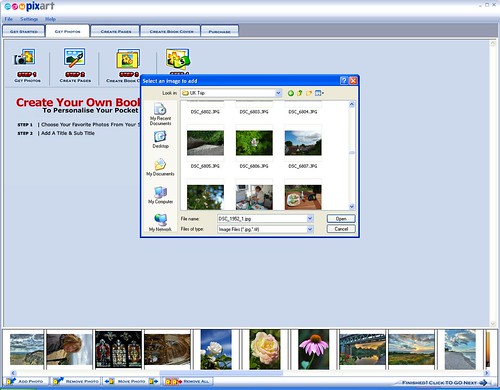
The first stage is getting the pictures, which is quite easy but definately the most time consuming part, it’s easier if you know what you want and put them all in a folder..I was picking my favourite from all over the place, but I had most of them in mind so it wasn’t too hard.
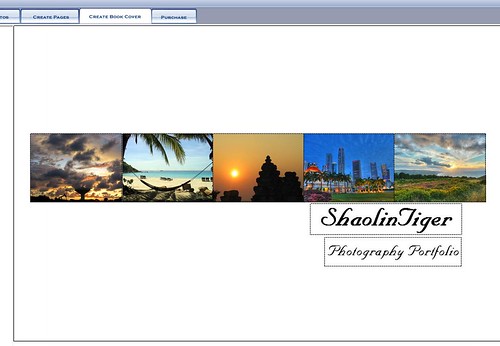
After that you can create the cover, remember to put the least important or detailed picture in the middle as it will be across the spine.
After that you create the pages, I kept it simple with only two styles, full page landscape or 2 per page portrait. No captions apart from the title page.
My pictures speak for themselves 😛
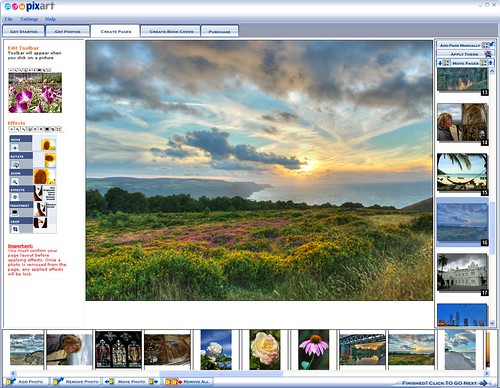
It’s very easy to re-order the pages, fit the images to pages and change the style, they have made some good interface improvements over the previous coffee table book version.
After that you fill in your details and postage address and it’s done, no need to be transferred to a seperate web-page like the old version.
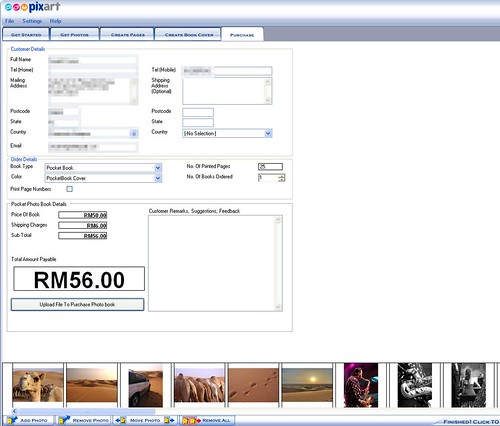
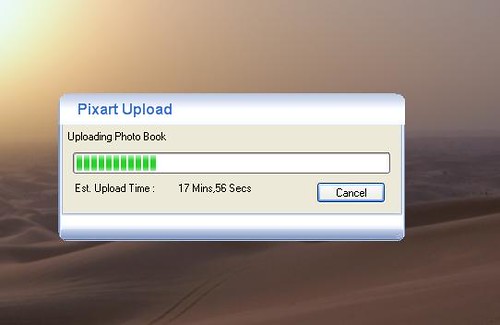
Then it’s done it ‘optmises’ the images and uploads them to the Pixart server, you can save the whole book aswell which is a nifty little XML file incase you want to produce another copy later.
I was a little worried before the upload when I saw the software say it was resampling to 72dpi, as it’s recommended to print at 300dpi or at least 200dpi..
I’m wondering does it downsize to 72dpi for transfer then interpolate to 300dpi at the other side for printing?
I did query this after seeing the print quality and the team are looking into it.
The upload was simple and painless.
The Book
The book takes around 5 working days to arrive, which it did, but I was overseas at the time so I couldn’t take it home and check it out.
When I got back the brown envelope with my pocketbook was waiting on my desk.
At first glance it looks very good, the cover is nice and stiff and the pictures really stand out well.

The cover is a nice matte laminate which seems pretty hard wearing, I did notice a few bubbles in the laminate around the spine though but this seems to be an isolated problem which Pixart are currently working on.
It’s quite thin and is a portable size, not too heavy and good to carry around.
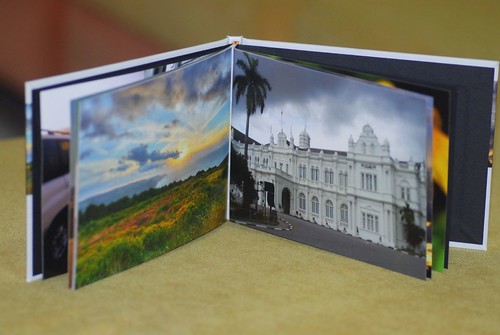
I printed a lot of the pictures full page as I felt that was the best way to showcase my work.
On the whole I was a little disappointed with the print quality, it was especially noticeable in my macro shots with fine detail or the shots with large patches of similar or graduated colour.
It seems somewhat streaky, not disimilar to vertical banding.
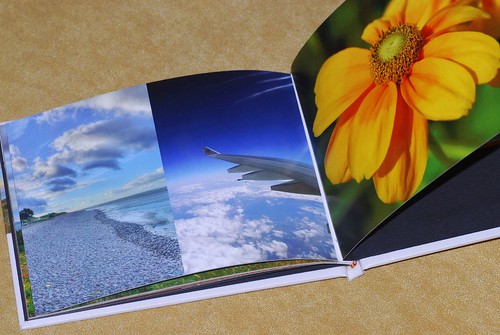
I took care to upload the highest quality pictures I had, most were at least 3 megapixels, the majority 6 megapixels..so in this kind of glossy printing I shouldn’t really be seeing any pixelation.
It could be that I’ve recently become engrossed in photography so my eye has become very sharp, but in some pictures I think even casual snappers would be displeased.
Conclusion
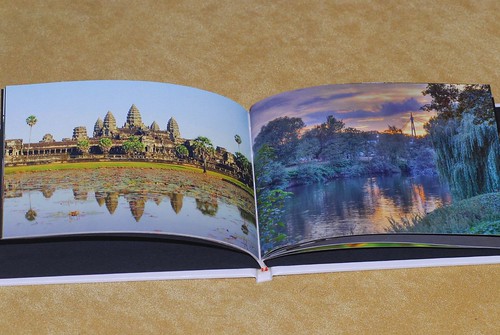
I would still recommend it but choose your pictures carefully, don’t go for anything with really fine detail or large graduated skies like orange sunsets as they make look a bit pixelated or streaky.
I do hope Pixart can improve the printing method as I really love the pocket book size and the quality of construction, including the personalised cover, which is a great idea.
The software is much better than last time and Pixart is doing well, I hope they can fix these minor problems and they will have a superb product.
I look forward to more innovations from them in the future.
The Pixart Pocket Book will cost you RM56 including postage in West Malaysia.
You can find more about the Pocket Book and how to purchase it here.
Other pocket book reviews:
Suanie
Minishorts
Lillian
Start.com.my


Awwwww…. you picked the pictures I liked as well! The Angkor Wat and The second Moors…They are really lovely. But I didn’t see the smiling camel? I’m sure it’s in there! hehe
meekiee: Of course the Camel is on the first page! Pride of place.
I used it to make a birthday present for a friend. really nice, but I find 12 pages abit too little.
there isn’t much versatility(like positioning the photo). but other than that, not bad. package arrives
in less than a week, and the printing quality is good.
luzzio: you can add extra pages if you want mah..
nice photos ST 😛
wow.
oit, say your name got cheaper ?
Very interesting. Just got back from Hanoi, will make a very unique keepsake for all of us to have a copy each of the pics we took there. 🙂
However, since I myself took about 200 pics & vids and there’s still 2 other cameras, selecting photos will be a real challenge. *feeling a bit faint* ;p
those are great photos… yummmm
Very nice photos. Fortunately you have a high megapixel camera otherwise it could be real grainy.
The pixart pocket book seems to be a great idea. I suppose they don’t deliver to the UK?
luzzio: Yah you can add as many pages as you want at RM1.50 per page.
elise: Choosing the pictures is always the hardest and most time consuming part.
James: Well as the pics were downscaled I don’t think the high megapixels matters that much, plus some of them are only 3.2 megapixels or less if cropped.
Kat: They do ship to UK but of course it’d work out quite expensive. Details here.
Get a bargain from Pixart to print in large quantities and you may sell your album to others. I chup one first!!!
hey do you think pixart should have this features to allow other user to print off others pictures or books if they are given permision of …
Hi.. Those are lovely pictures!!!! I just have to say this world is really small when I saw a photograph of my fren taken by you. Her name is Catrina. I think the shooting session was last 2 weeks at Tmn Tun.. 🙂
Hijackqueen & earl-ku: I’ve talked to Pixart about this possibility, they are going to see what they can work out.
sming: Haha yeah very pretty girl Catrina. I will post those pictures later when I get back from Saudi. It was at Taman Tun.