
So we arrived at Sepilok Jungle Resort in the middle of the afternoon, we had some time to relax. We took dinner at the restaurant inhouse – it was actually pretty good and quite cheap.
I love this fern they serve there, they call it Sabah Vege (Sayur Manis) – delicious!
Anyway we had some time to read our books, and for me to wonder around and take some pics, play with HDR bracketing and my Cokin filters.
Sepilok Jungle Resort is a decent place, the accommodation is simple and clean enough, it’s not a luxury establishment – but it does offer rooms with air-con and it’s extremely near to the Orang-Utan sanctuary.
I had a wonder around the compound and found this interesting old building.
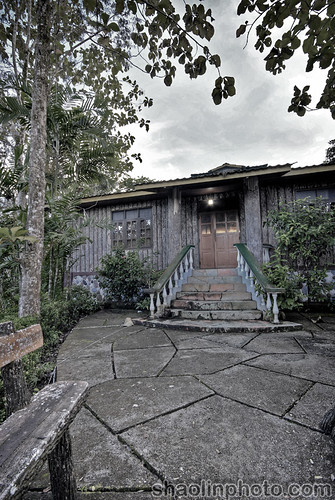
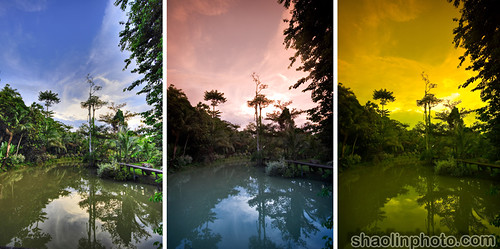
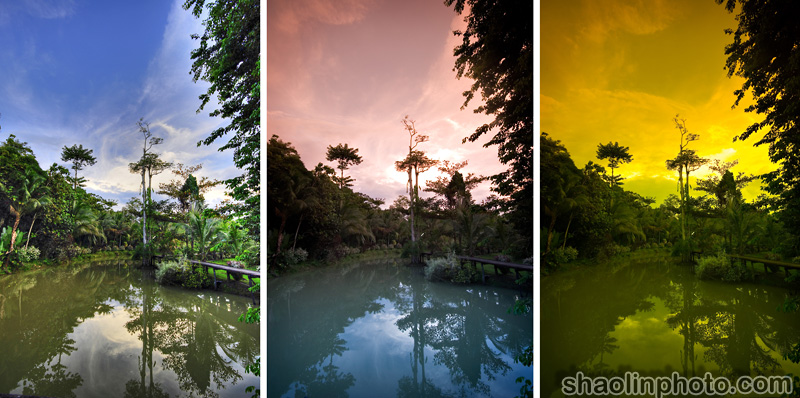
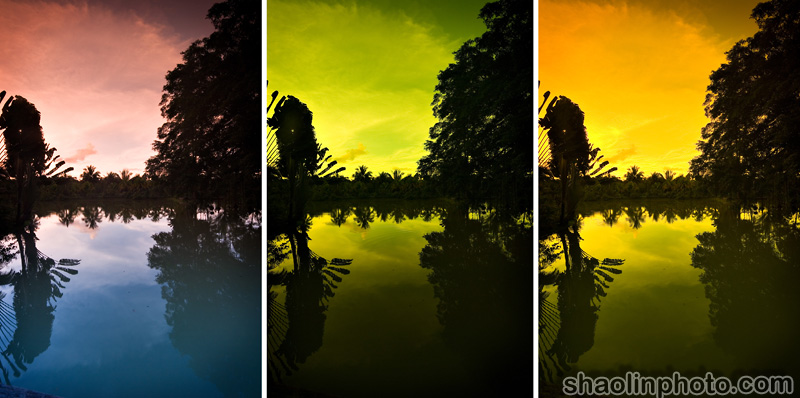
Then I had a play with my Cokin filters, please note none of these pictures are created with Photoshop or any imaging software (apart from the first in the first triptych) they are created by using a combination of graduated and solid filters.
First one (from left to right) – Mild HDR, Tobacco Grad + Reversed Blue Grad, Tobacco Grad + Solid Yellow (Larger here).
Second one (from left to right) – Tobacco Grad + Reversed Blue Grad, Solid Yellow + Blue Grad, Tobacco Grad + Solid Yellow (Larger here).
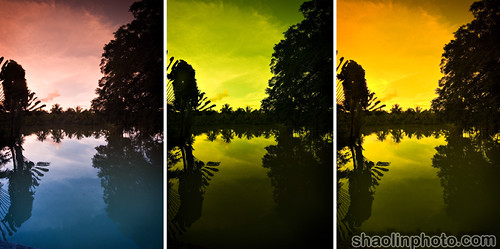
My favourite is probably Tobacco + Yellow Solid.
After we had dinner, the restaurant food was cheap, pretty fast and definitely edible. Plus it’s like eating in the middle of a jungle which is cool.
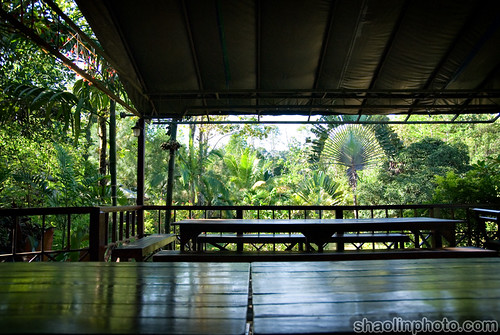
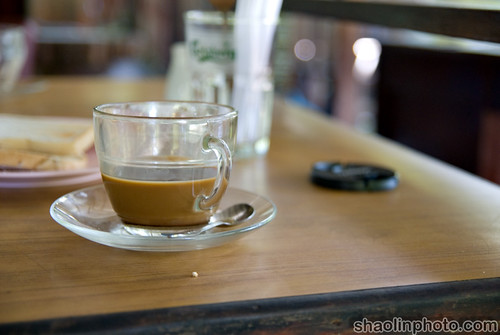
Hmmmm coffee!
You can find more reviews and ratings on Sepilok Jungle Resort here:
The other main choice is Sepilok Nature Resort, there isn’t that much difference – they are both walking distance to the Orang-Utan sanctuary.
I have to say though I have no complaints about Sepilok Jungle Resort, I’d stay there again no probs.
You can find all posts on my Sabah trip here:
Sabah 2008 Trip – Sandakan and Kota Kinabalu


Why would a photographer use any of those Cokin filters in the first place?
A legitimate question and I’m a non-photographer so please be gentle.
Nice photos i must say~ 🙂
kopi looks awesome!
Wow the filter effects are awesome. My favourite is the tobacco grad + reverse blue grad filters.
Are these filters based on thread size or you were using a filter holder?
Ya I was kind of wondering the same thing as Ranga. They look nice, and give an arty effect (I agree with the Tobacco Grad + Solid Yellow choice); but is it only for arty effect, or anything else?
Sabah rain forest really look so rain forest. 😉
Answer me, godammit, before I scream Photoshop!
Oh, and PHOTOSHOP!
Ranga: Well the plainest one is called ND grad, it’s to balance the exposure if the background is too bright and the foreground too dark the camera can’t capture it (exceeds the dynamic range). Coloured grads are similar and can be used in the same way, they also add colour though (say the sky is boring grey you can change it to blue). More here. And why here.
Lisa Lee: Thanks!
KY: Er ok. Your middle name Simon?
Mark Leo: Cokin are square, I’m using the P series holder, but actually these were all shot hand holding the filters – it’s easier when you’re using more than one.
julian: See above 🙂
Myhorng: It rocks!
Ranga: Photoshop! Well first one is Photomatix not Photoshop 😛
Great pictures, can’t mention the same for the pictures I took at Krabi lol.
I really love your photographs! And I really love the way you use your filters—it’s amazing!!!! 🙂
Keep taking photographs! Cheers!
moons: Hahah don’t worry bro, keep trying and keep practising.
Teress: Thanks 🙂 Just playing around.